How to enable geolocation and device fraud checks on AiPrise
Last updated: April 16, 2025
AiPrise allows you to enable geolocation-based fraud checks that provide deeper insight into the user's device, location, and online behavior—helping you flag suspicious activity before it becomes a risk.
 Enabling Geolocation Checks
Go to your AiPrise dashboard.
Head over to Template Settings.
Click on Basic Configuration.
Scroll down to find the Fraud Check toggle.
Switch it on to start receiving geolocation and device-level insights for your verifications.
 What Data Will You Receive?
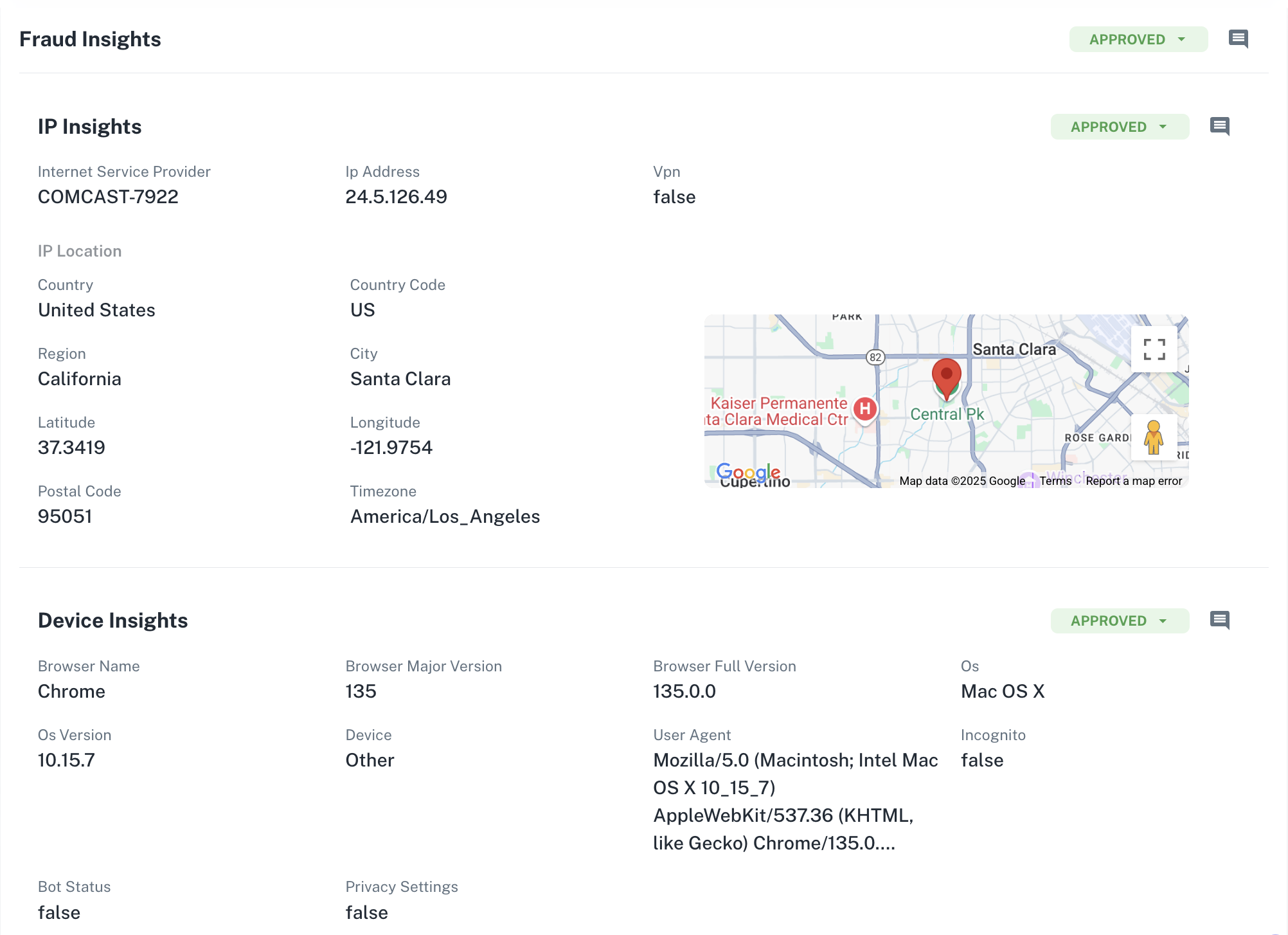
Once geolocation checks are enabled, AiPrise will return the following data:
IP & Network Details
Internet Service Provider (ISP)
IP address origin (country, region, city, postal code)
VPN or proxy detection
Location Insights
Country & region match against submitted address
Latitude & longitude
Time zone mismatches
Device & Browser Info
Device type and operating system
Browser version and user agent
Incognito mode or bot detection
Privacy settings (e.g., fingerprint blocking)
Flagged Activity & Review Flow
If any geolocation or device checks raise red flags, the session is automatically moved into a review state. This allows your compliance team to manually assess the verification before approving or rejecting it.