How long are verification links valid?
Last updated: January 2, 2025
When you create a link for KYC (User Verification) / KYB (Business Verification) link through our system, it remains valid for a specific period of time. This article explains the duration of validity for these links.
Verification Link Validity Period
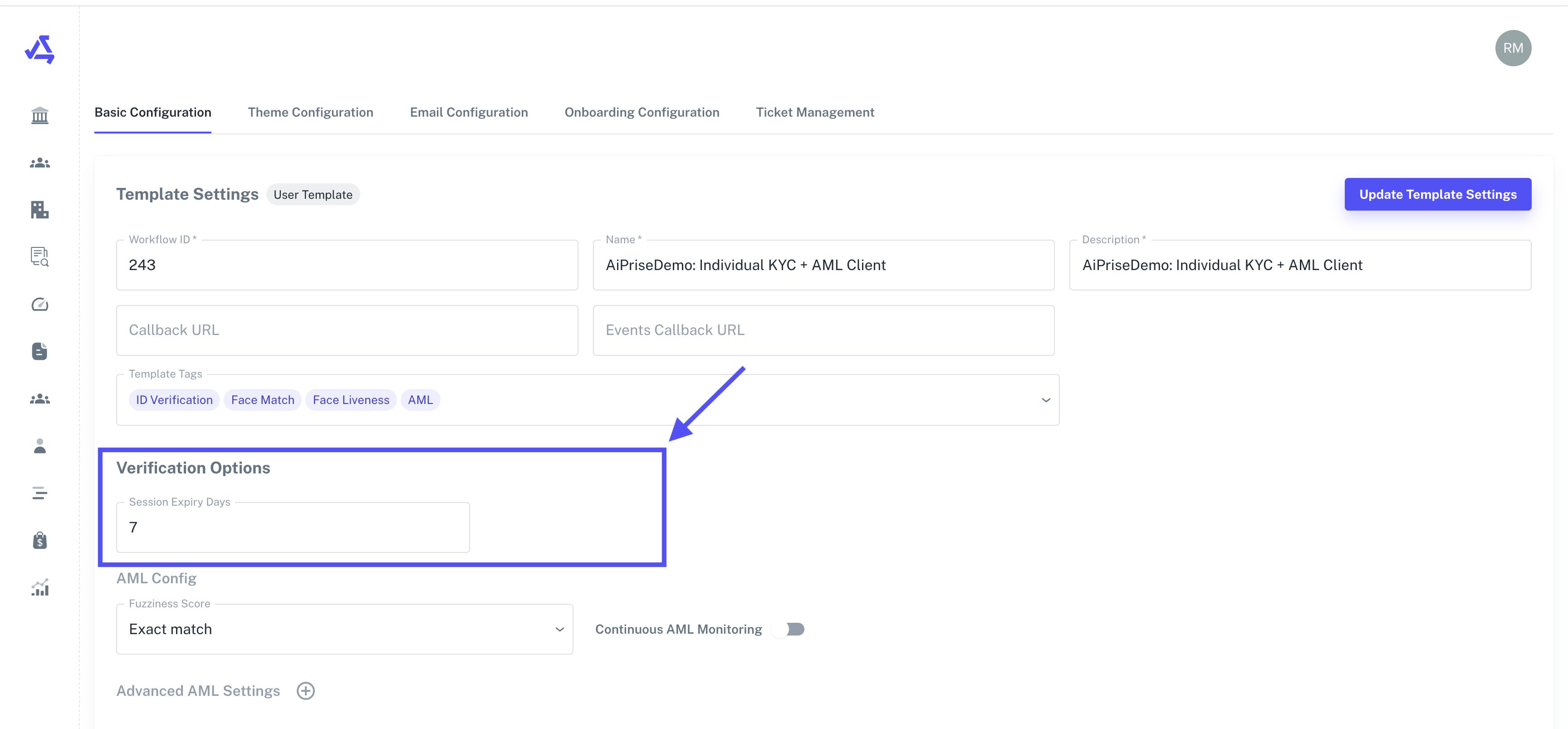
KYC links, are valid for 7 days from the time of creation by default. You can update the default value up to 30 days from your template settings page.
KYB links, are valid for 30 days from the time of creation by default. You can update the default value up to 90 days from your template settings page.
Important Considerations
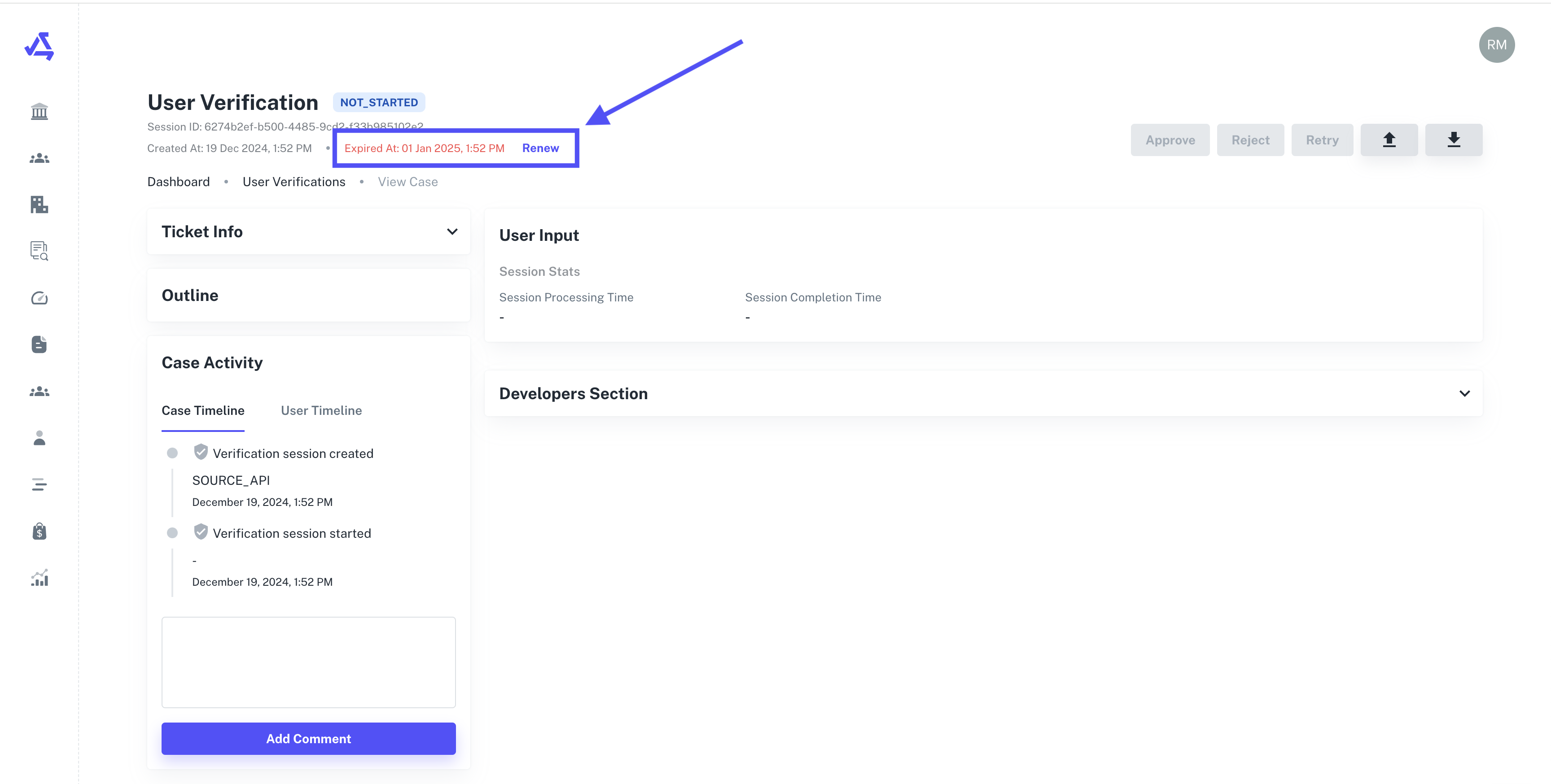
After the set number of days, the link will expire and can no longer be used for identity verification.
If a link expires, you can manually renew the session from the case page.
It's recommended to inform customers about the link's expiration date when sending it to them.
Best Practices
Generate IDV links close to when you expect the customer to use them.
Follow up with customers if they haven't completed the verification process after a few days.
Consider setting up reminders for customers about upcoming link expirations.
By understanding the validity period of IDV links, you can ensure a smooth verification process for your customers and minimize the need for link regeneration.