How to Set Language Preferences for a verification session
Last updated: March 4, 2025
Our KYC/KYB verification system automatically detects and uses the user's language based on their browser/device settings. However, you can also manually configure the language preference for specific verification sessions.
Setting a Custom Language
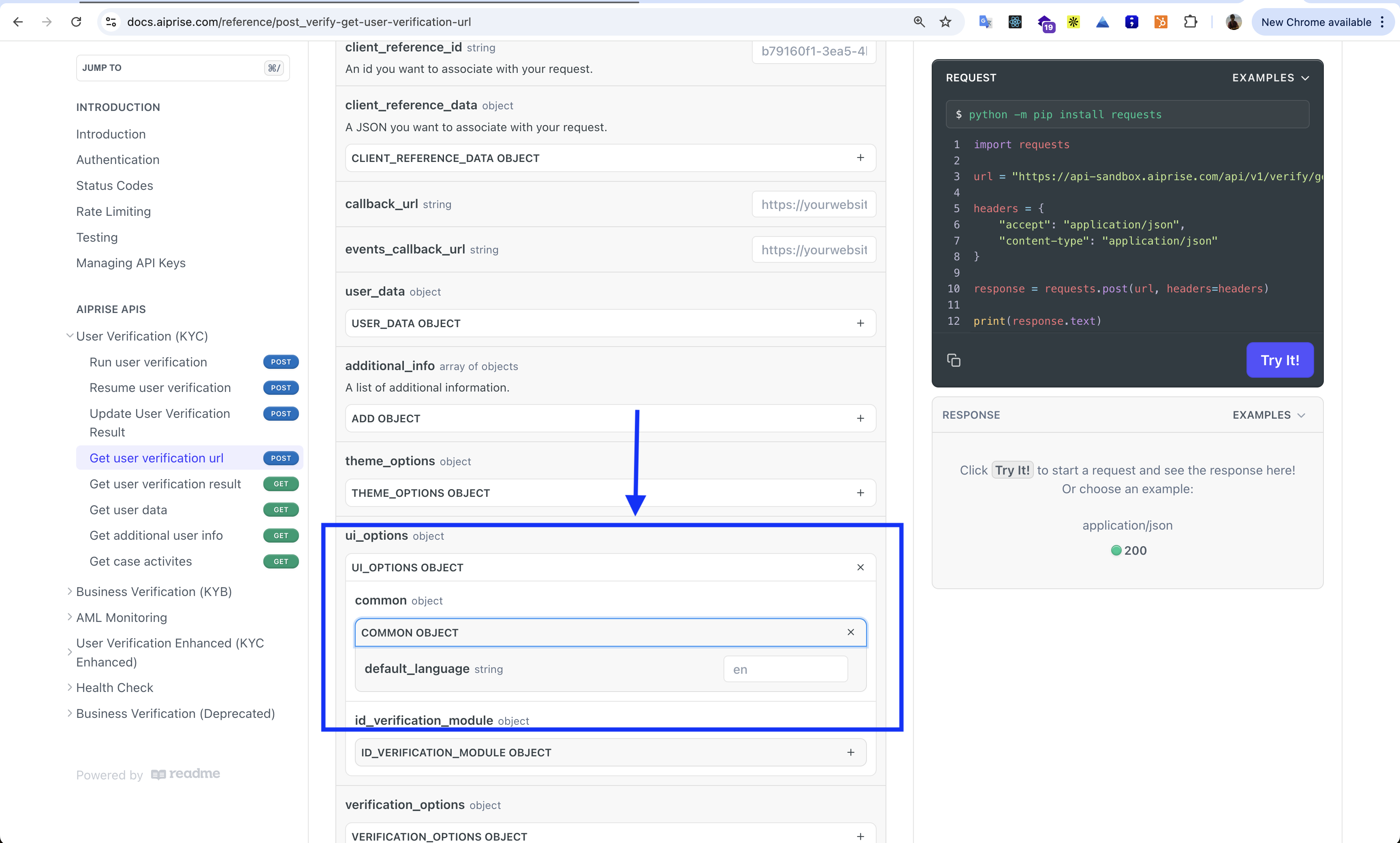
To set a specific language for a verification session, use the ui_options parameter when creating the session. This can be done through either our SDK or API.
When calling the "Get User Verification URL" endpoint, include the default_language parameter in the ui_options object:
Language Support
If no language is explicitly set:
The system will automatically detect the user's preferred language from their browser/device settings
The verification interface will be displayed in the detected language if it's supported
The language setting affects the user interface elements of the verification process, including instructions, buttons, and form labels.