Why is my risk scoring not working or showing incorrect results?
Last updated: January 15, 2026
Context
Risk scoring is a critical component for compliance and regulatory requirements. You may encounter issues where risk rules are not triggering correctly, scores are not calculating as expected, or certain rules are being ignored. These issues can occur due to configuration mismatches, template changes, or data formatting problems.
Answer
Risk scoring issues typically fall into several categories. Here's how to diagnose and resolve them:
1. Check for Exact Value Matches
The most common cause of risk scoring issues is mismatched values between your form responses and risk rule configurations.
Go to Settings > Risk Scoring and review your rule collections
Compare the values in your risk rules with the actual responses from your forms
Look for extra spaces, different capitalization, or slight text variations
Copy and paste the exact response from the form into your risk rule configuration to ensure perfect matching
2. Verify Template Configuration
If you've made changes to your onboarding forms, the risk scoring template may need to be updated:
Navigate to your template settings
Ensure the risk scoring template is properly assigned
If you've changed question text or order, you may need to re-import questions or update rule references
Check that all risk rules are enabled (not just created)
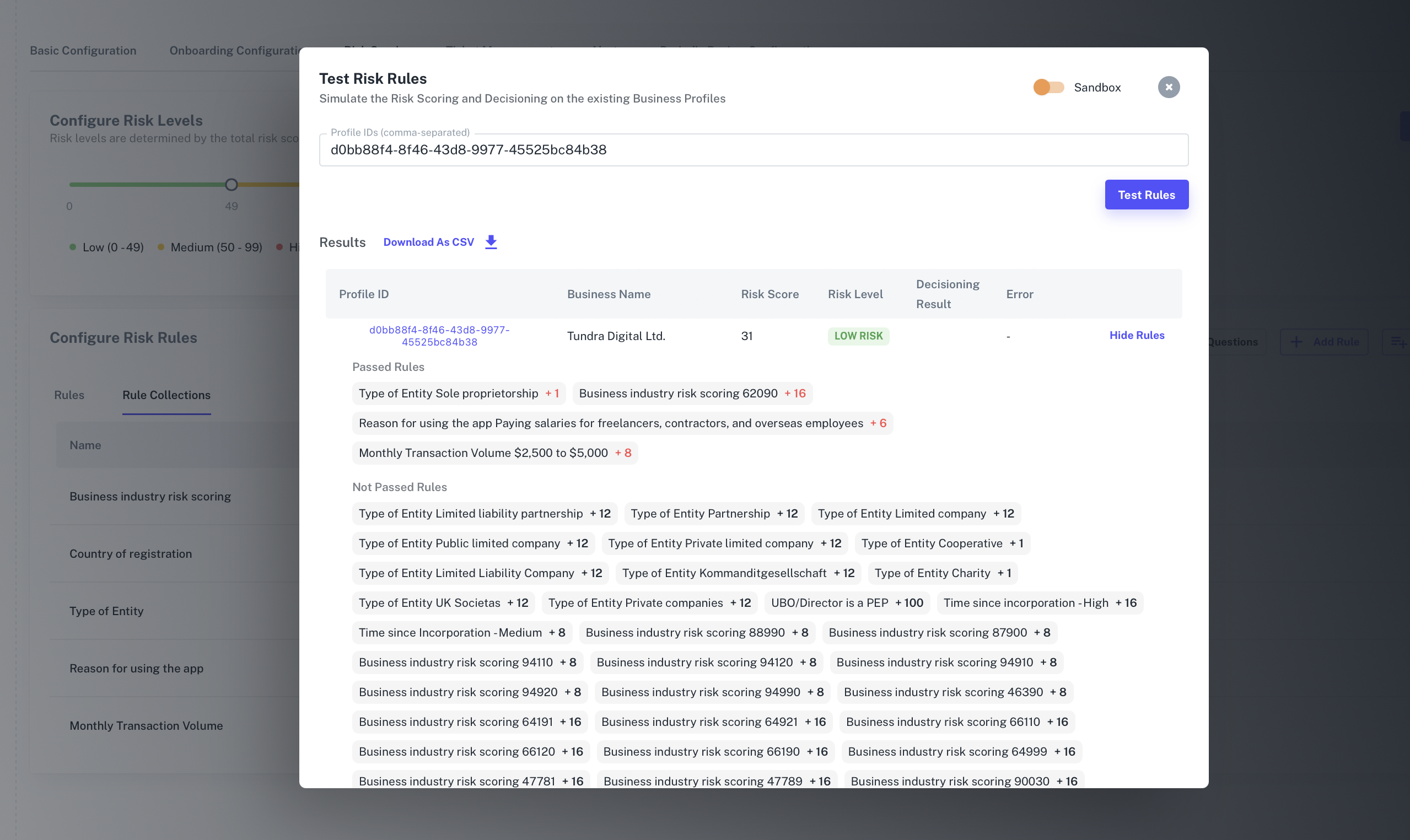
3. Test Your Risk Rules
Use the built-in testing functionality to validate your configuration:
In your risk scoring settings, look for the "Test Risk Rules" button
Enter a session ID or business profile ID to test
Review which rules are passing and which are not
Use the "Show All Evaluated Rules" feature to see detailed results
4. Handle AML and Compliance Rules
For AML-related risk scoring issues:
Ensure that resolved or false positive hits are properly excluded from scoring
Configure rules to only trigger on actual hits, not resolved ones
Check that AML info status and warnings are correctly referenced in your rules
5. Re-running Risk Scoring
For business profiles:
Go to the business profile and click "Run Business Verification → Risk Scoring & Profile Decisioning"
This will re-evaluate all risk rules with current data
For individual profiles:
Risk scoring runs automatically with the verification session
To re-run, create a new user profile, link the session, and run verification
Contact support for bulk re-processing of existing profiles
6. Common Issues to Check
Extra spaces: Remove any trailing or leading spaces in rule values
Question text changes: If you've modified form questions, update the corresponding risk rules
Disabled rules: Ensure all necessary rules are enabled in production templates
API parameter mismatches: For API flows, verify that parameter values exactly match rule configurations
If issues persist after checking these items, contact support with specific business profile IDs or session IDs for further investigation.