Sending an onboarding link directly via dashboard
Last updated: January 10, 2025
AiPrise offers the ability to generate a standalone verification link for your Know Your Customer (KYC & KYB) flow. This feature allows you to send users a direct link to complete the KYC process outside of the embedded widget, which can be useful for scenarios such as verifying users before making changes to their personal data.
Generating the Verification Link
To generate a standalone verification link:
Log in to your AiPrise dashboard
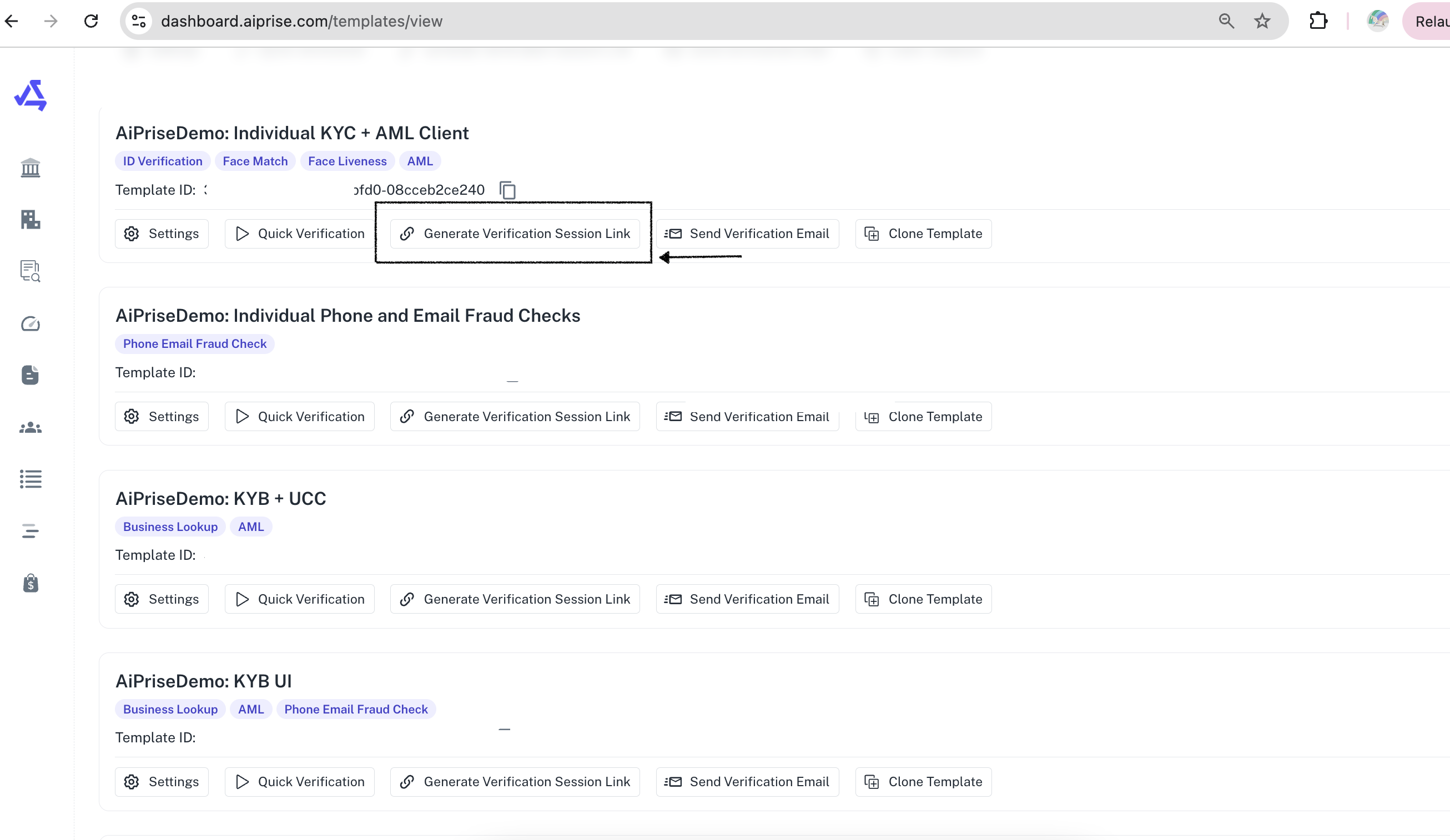
Navigate to the Template Page to view the template you want to use that support client UI
Look for the "Generate Verification Session Link" button (screenshot below)
Click the button to create a unique verification link and cop
Using the Verification Link
Once generated, you can send this link directly to users who need to complete the KYC process. When the user clicks on the link, they will be taken through onboarding SDK that you have configured on the template and the session will be generated accordingly.
.